
Block restrictions can be used to define specifications and limitations for existing blocks and/or elements newly inserted by the user. (These restrictions can also be added directly to individual blocks in the IDML as attributes on the tag.)
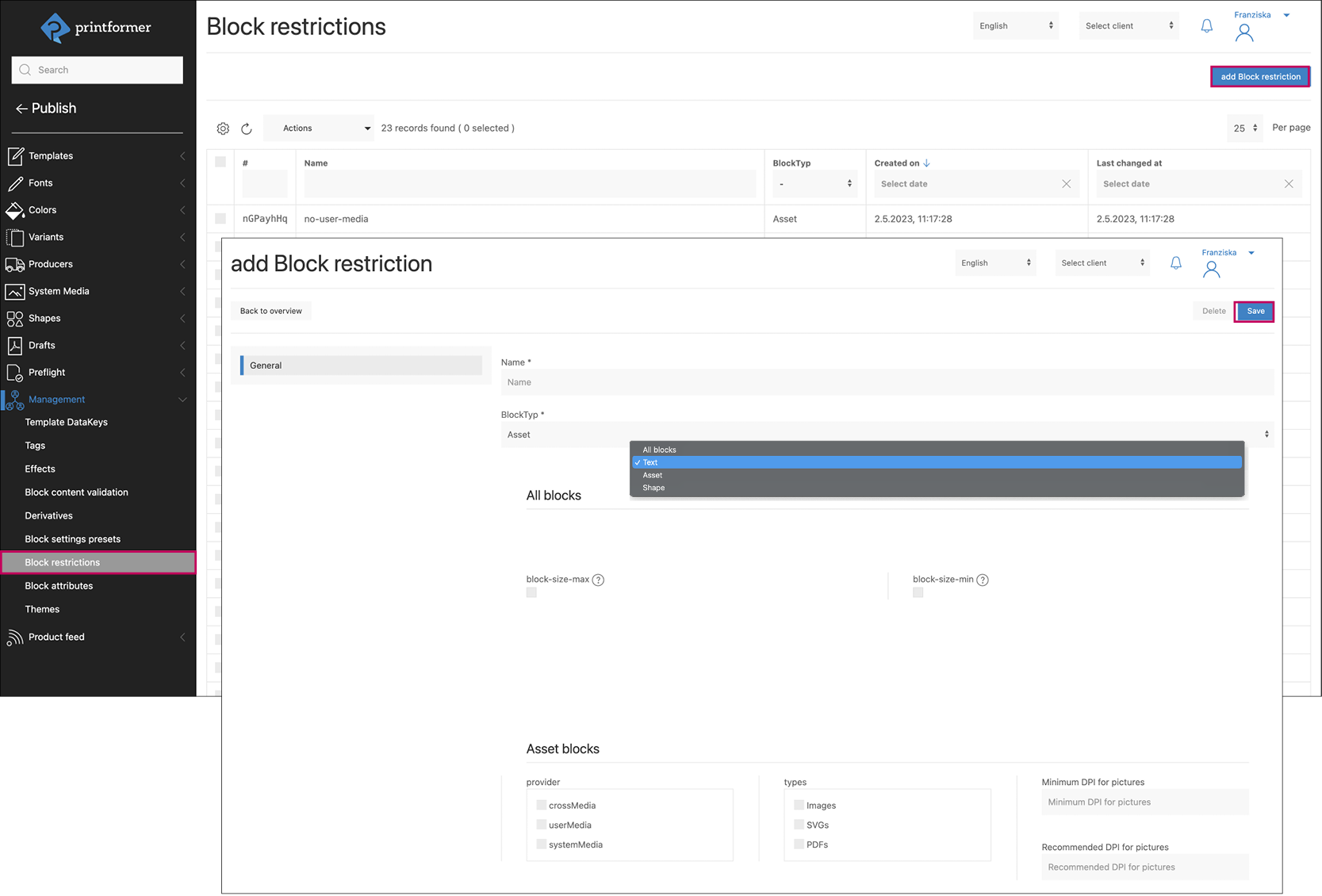
Add block restriction
First, assign a name and select the block type (text, asset, shape, or all) for which the settings should apply.
An overview of the available BlockRestrictions then appears. They can be selected by activating the corresponding checkboxes (for some options, an extended selection may open).
Click Save to complete the creation of the preset.
Depending on the selection under Block type, the restriction applies to text blocks, asset blocks, shape blocks, or all blocks together.
Assign block restrictions
The defined restrictions can be assigned globally or to individual templates.
General
Settings: Editor > Block restrictions
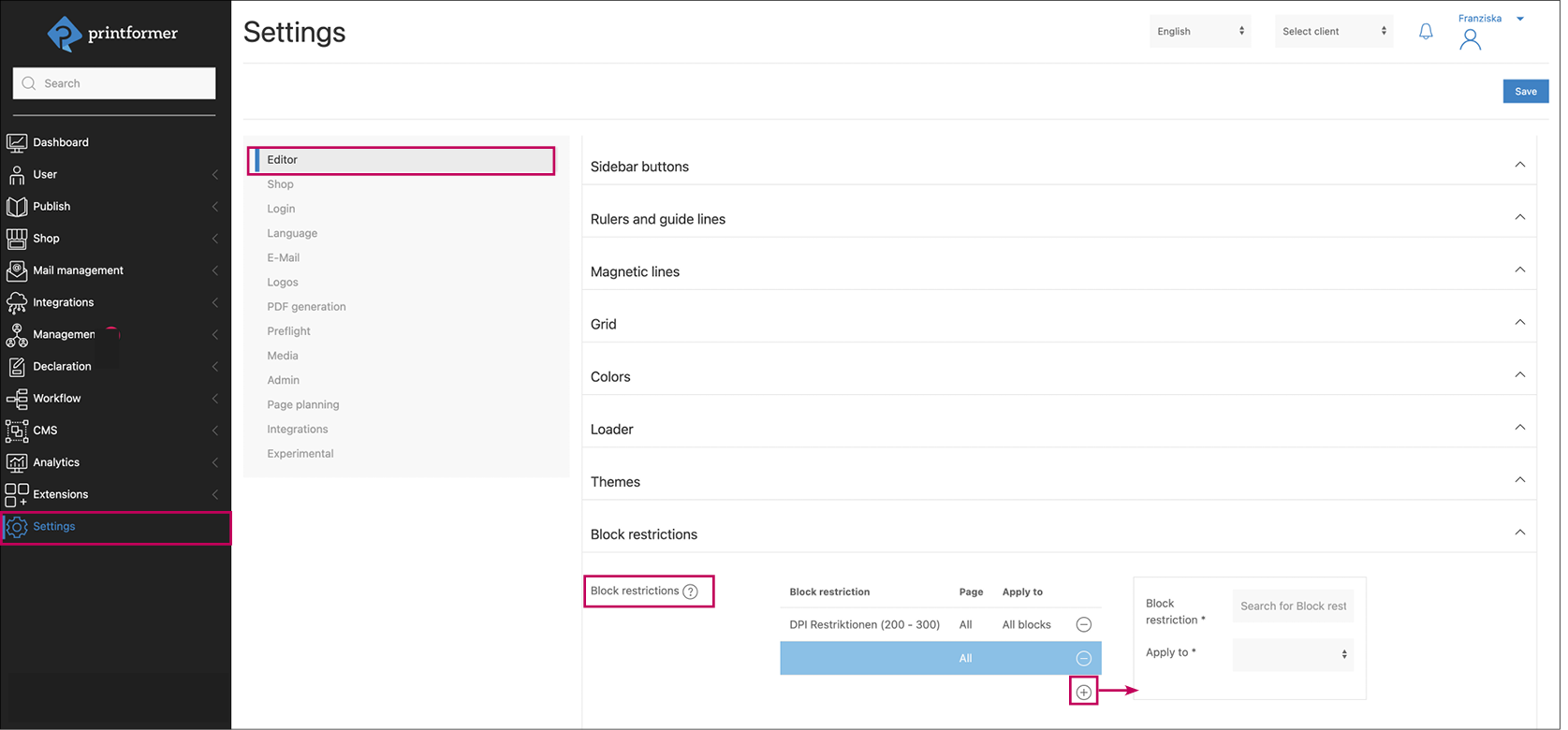
Use the plus icon to select and add them:
When entering the first letters of the name under Block restriction, a dropdown selection appears. After selecting the restriction, it is assigned to a page of the template.
Then select which blocks the restriction should be applied to: existing blocks, blocks added by the user, or all blocks.
Template
Template settings: Editor > Block settings > Block restrictions.
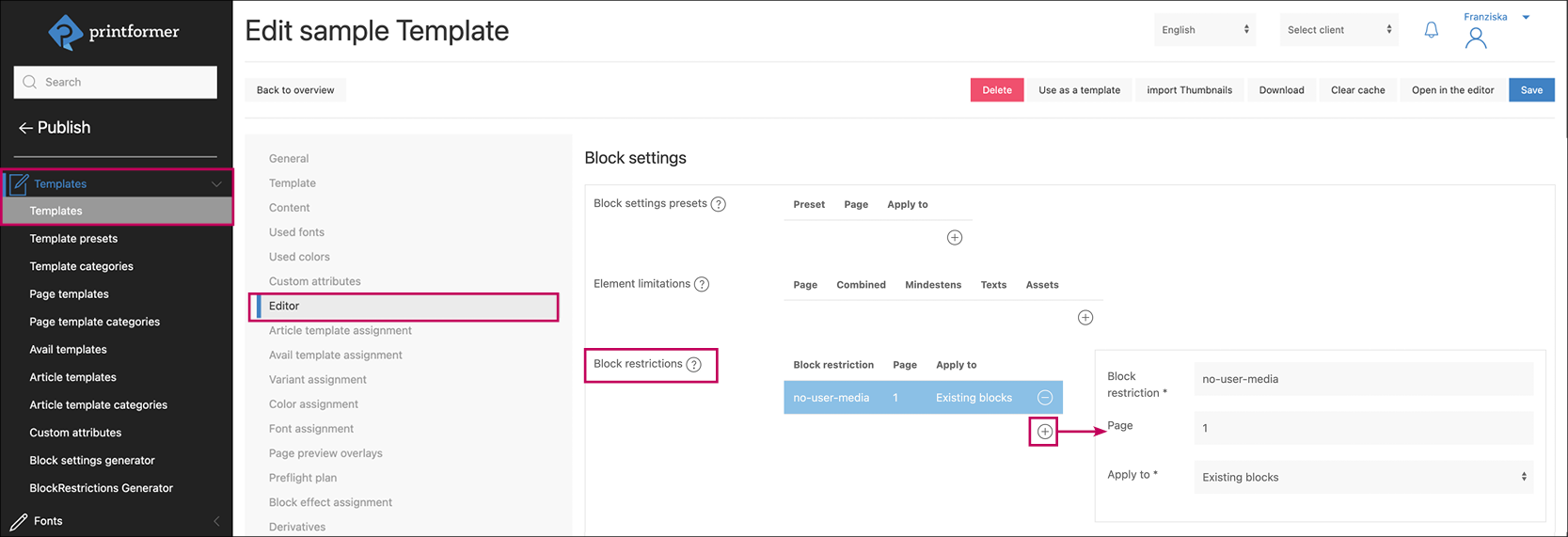
Use the plus icon to select and add them:
When entering the first letters of the name under Block restriction, a dropdown selection appears. After selecting the restriction, it is assigned to a page of the template.
Then select which blocks the restriction should be applied to: existing blocks, blocks added by the user, or all blocks.
Possible restrictions
All blocks
-
Maximum size (width and height of the frame), specified in pt
-
Minimum size (width and height of the frame), specified in pt
Text
-
Maximum font size (specified in pt)
-
Minimum font size (specified in pt)
Assets
-
Provider
Defines from which source images may be placed:
system media and/or user media (for example, this can ensure that users only use approved image motifs assigned to the template/user in the system media via a media set, and do not use their own motifs) -
Types
Selection of the permitted file formats:
images (tif, png, or jpg), SVG, PDF (EPS) -
Tags
This can be used to define that only images with a specific tag may be inserted into the image block. -
Minimum DPI and recommended DPI for images
These settings define when a resolution is flagged in the editor or declared as an error.